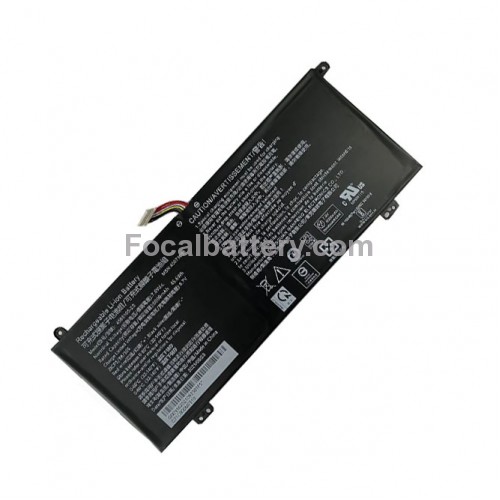
Battery for Dynabook Satellite Pro C50-H15210 Laptop


- Product Code: C50-H15210
- Availability: In Stock

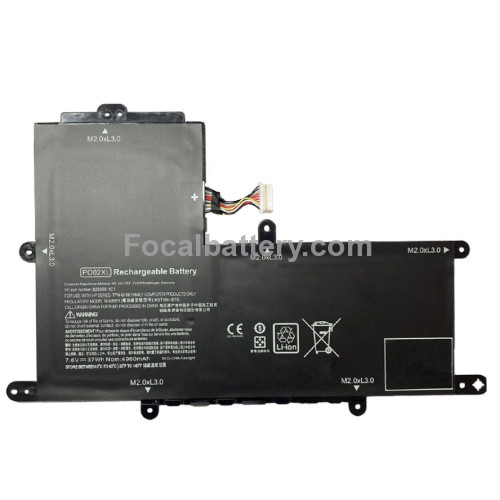
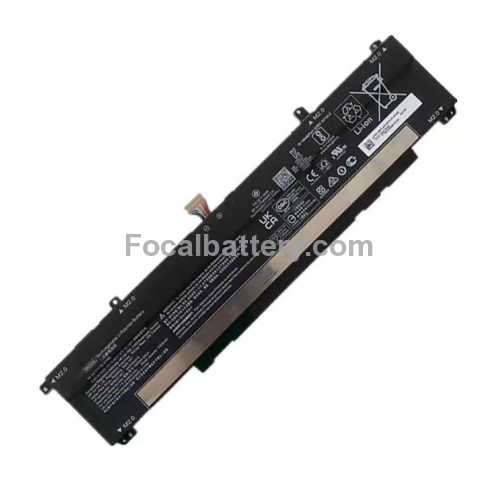


Brand New Cheap 6,000mAh 45.6Wh 3-cell Li-ion replace Battery for Dynabook Satellite Pro C50-H15210 C50-H-15210 Laptop
Volt: 7.6vdc
Battery Capacity: 6000mAh/45.6Wh
Type: Internal Li-ion Rechargeable Battery Pack
Battery Model Name: 4588105-2S
Fit Laptop: Dynabook Dynabook Satellite Pro C50-H15210 Notebook
Color: Black
Warranty: 1-yr
Replacement for Part Number:
40071698
40072215
4588105-2S
4588106
4588106-2S
Compatible Laptop Models: Fit for MEDION Series
Akoya E15403, AKOYA E15403 30027586, AKOYA E15403 30027881, Akoya E15403(MSN 30026724)
Akoya E15403(MSN 30026726), Akoya E15403(MSN 30026727), Akoya E15403(MSN 30027586)
AKOYA E15403-30026724,AKOYA E15403-30026726, AKOYA E15403-30026727, AKOYA E15403-30027880
Fit for Dynabook Series
Satellite Pro C50-E-105, SATELLITE PRO C50D-B-100, SATELLITE PRO C50D-B-10B SATELLITE PRO C50D-B-10C
SATELLITE Pro C50D-B-10D, SATELLITE PRO C50D-B-10E SATELLITE PRO C50D-B-10I, SATELLITE PRO C50D-B-10K
SATELLITE Pro C50D-B-10N SATELLITE PRO C50D-B-10O, SATELLITE PRO C50D-B-10U, SATELLITE PRO C50D-B-113
SATELLITE Pro C50D-B-114,Satellite Pro C50D-B-115, SATELLITE PRO C50D-B-116 SATELLITE PRO C50D-B-11A, SATELLITE PRO C50D-B-11C
SATELLITE Pro C50D-B-11D SATELLITE PRO C50D-B-11G, SATELLITE PRO C50D-B-11I
SATELLITE Pro C50D-B-11U SATELLITE PRO C50D-B-11X, SATELLITE PRO C50D-B-11Y
Please open the back cover of your laptop to check the original battery size and capacity before placing an order. Please scroll down to the list to purchase.
• Warm Reminder: Please check both model and battery part number are matched with your device before purchasing for best fit (you can find related information in product description).
• This product is backed by a 12-month warranty.We offer a worry-free after-sales service.
➤Notice Before Purchase
- Be carefully check the model number of your device and the part number of your original Battery to see if this Battery is compatible with your device.
- A new battery will achieve its best performance after 2 or 3 complete cycles of charge & discharge.
- When you install it, be sure the connector has been properly connected to your device.
- Do not use low quality third-party adapter charger to charge your device, that will shorten the battery's life.
➤Contact us
If you have any questions or any issues when using our product, please send us a message, we will reply you as soon as possible.
1. We have professional battery and adapter experience!
Strictly test before shipment to ensure full capacity and safety without harming the computer!
2. We recommend that the first charge is not less than 5 hours.
3. The new battery cannot be charged, is there a problem with the battery?
Usually not. The computer charges the battery for the first time. Due to the instability of voltage and current, the computer may stop charging the battery when the battery is half charged (sometimes more, sometimes less). If this happens, Don't worry, just take the battery out of the computer and recharge it again. The new battery charged for the first time may require several iterations. Don't worry, this is normal.
4. When the battery is in normal operation, if the battery is discharged to 3%, it must be shut down or recharged. If the battery is discharged to 0%, the battery will be damaged and its life will be attenuated.
5. Avoid falling, heating, and short-circuit, avoid using the battery in an environment where the temperature is too high or too low.
Tags: Battery for Dynabook Satellite Pro C50-H15210 Laptop, C50-H15210, Laptop Battery